
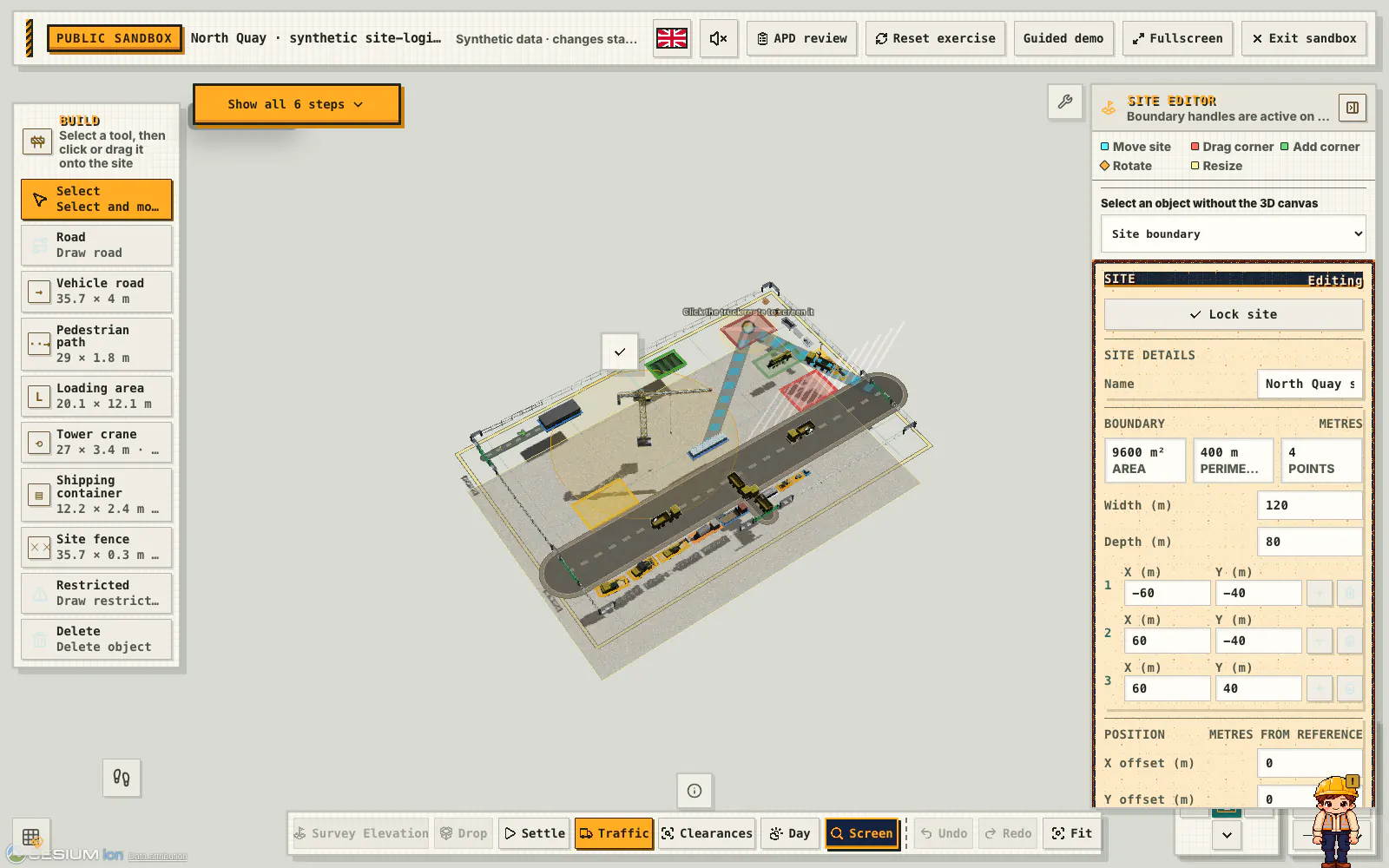
01 · Site
Set a usable boundary
Anchor the site against the live plant: one gate, a protected emergency lane and the areas the plan cannot use.
- Boundary fixed
- Flags 2
Industrial shutdown · Brownfield logistics
Industrial Site Planner screens delivery routes, laydown, crane access, exclusion zones and emergency access against a live-plant boundary — so the layout you take into review is one you have already tested.
5implemented model checks
3reviewed Swedish source packs
7validated 3D construction models
Walkthrough
The same four screens a reviewer sees in the sandbox, from the boundary to the review-ready report.
01 · Site
Anchor the site against the live plant: one gate, a protected emergency lane and the areas the plan cannot use.
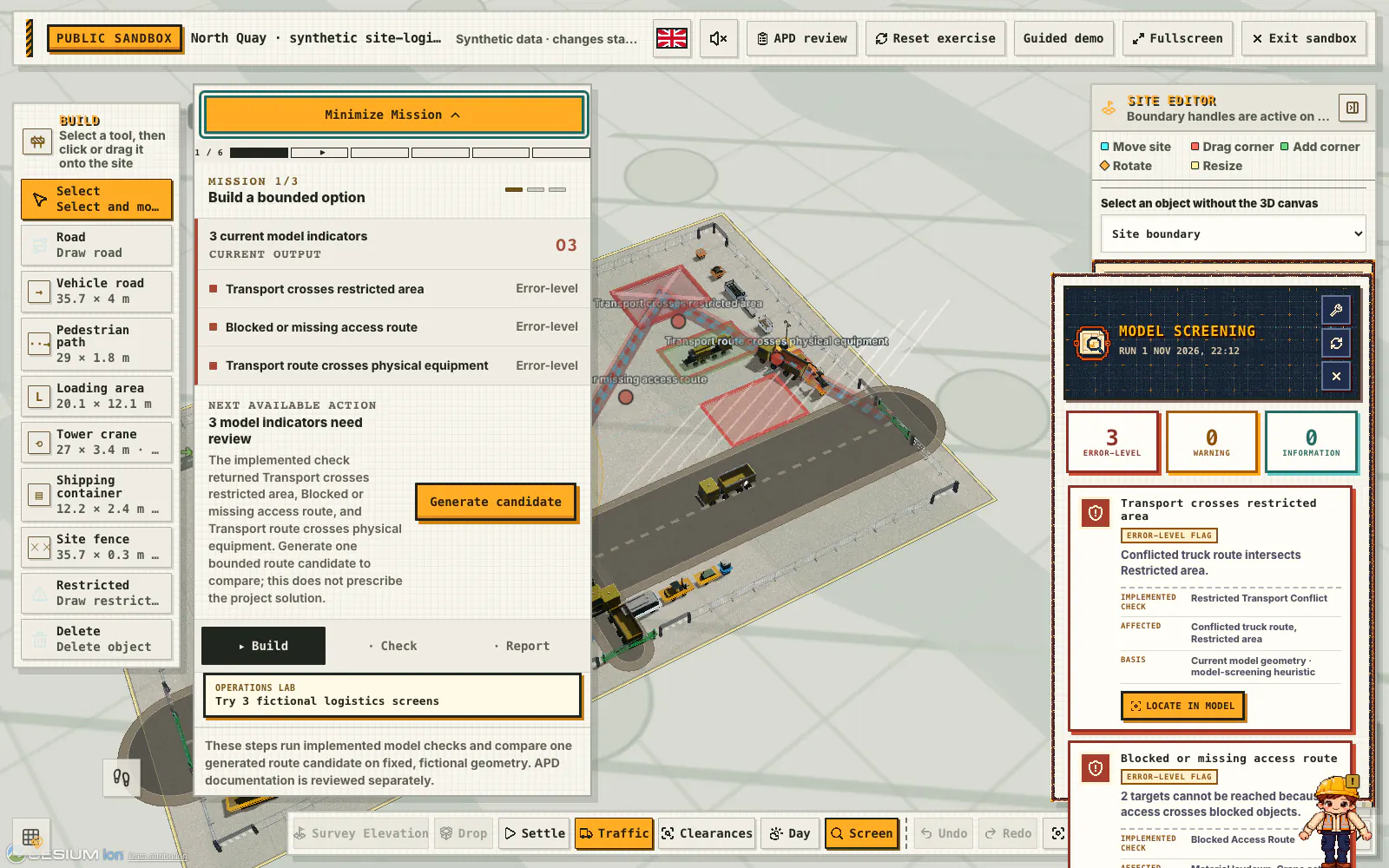
02 · Conflict
The implemented checks flag the delivery route crossing the crane zone and the blocked access route, with the geometry that caused it.
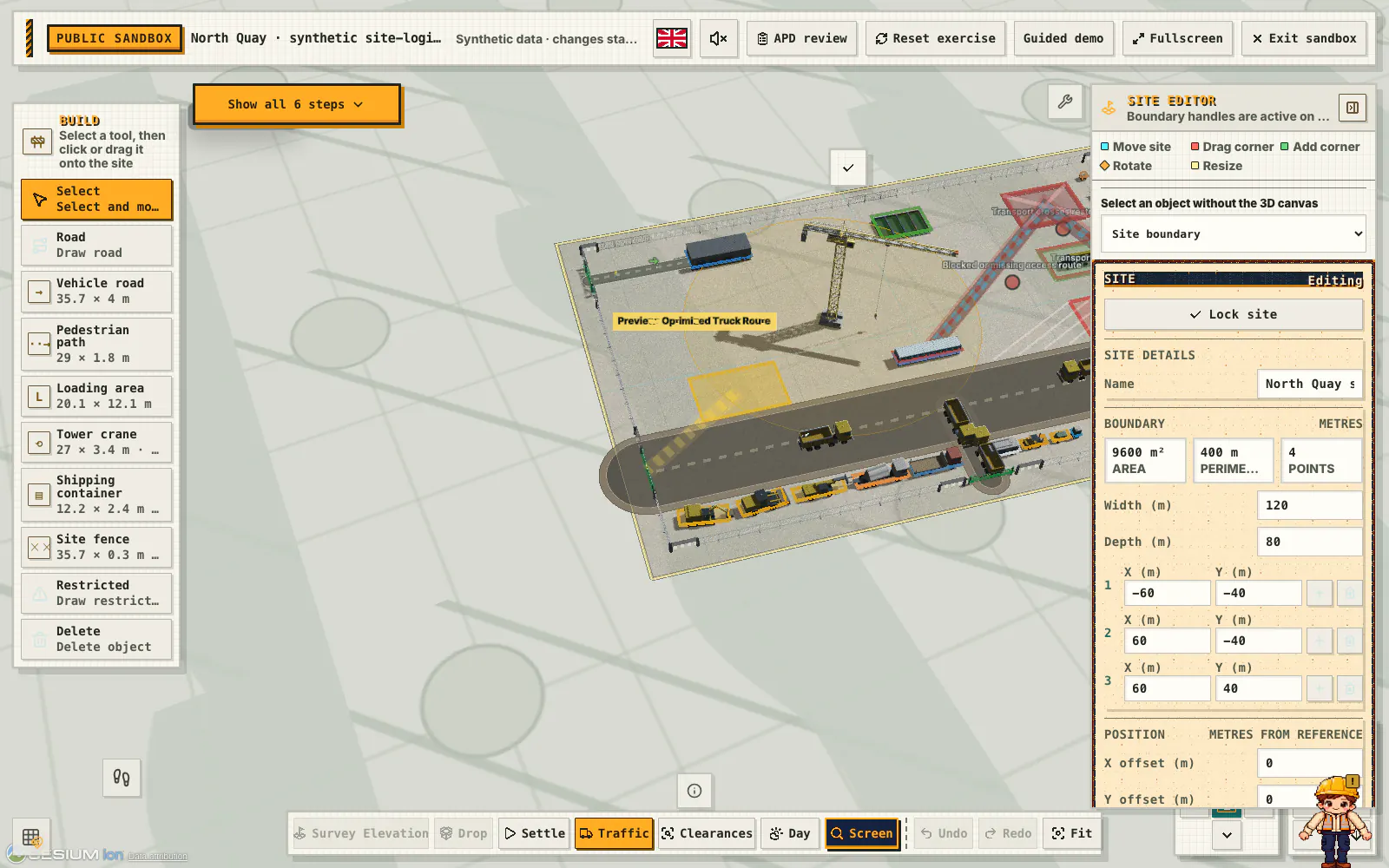
03 · Fix
Move the route, add a controlled hold point and re-run the same checks. The earlier option stays available for comparison.
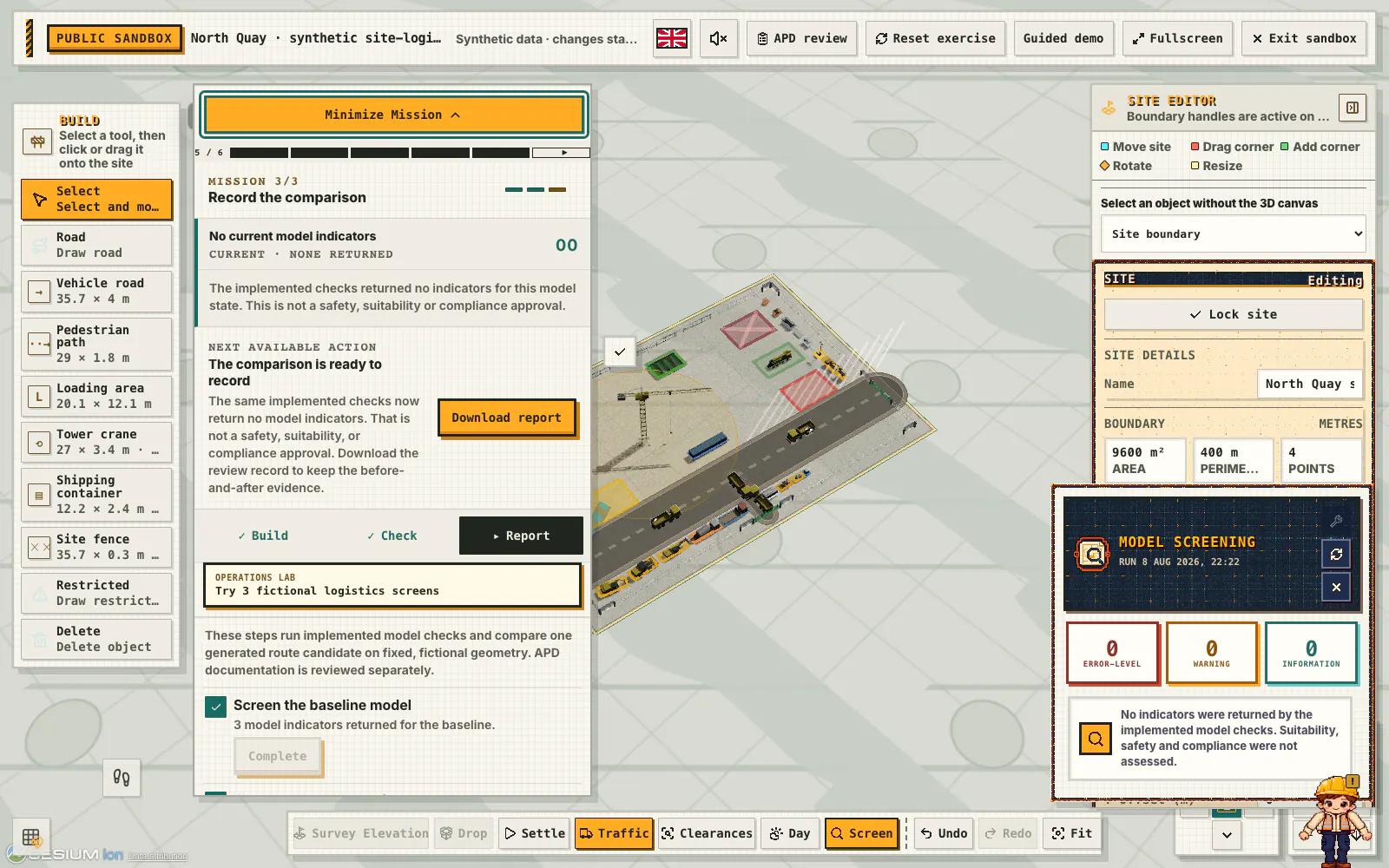
04 · Decision
Capture the accepted option, the person who validates it and the evidence report — before mobilisation.
Implemented checks
Each check returns a planning indicator with the geometry that produced it. None of them decides the layout for you.
Delivery routes are screened against work zones, crane zones and restricted areas, so a route that cuts through an exclusion area is visible before it is agreed.
The plan is checked for work areas that overlap routes, laydown or each other, including the phases where the overlap only appears later.
The protected access lane is held clear of stored material, queuing vehicles and temporary works.
The site boundary is validated as a closed, usable polygon before anything is placed against it.
Stored material and laydown areas are measured against the space that is actually available in each phase.
Implemented model checks on fixed geometry. They return planning indicators — not a safety, suitability or compliance approval. APD documentation is reviewed separately.
Inside the product
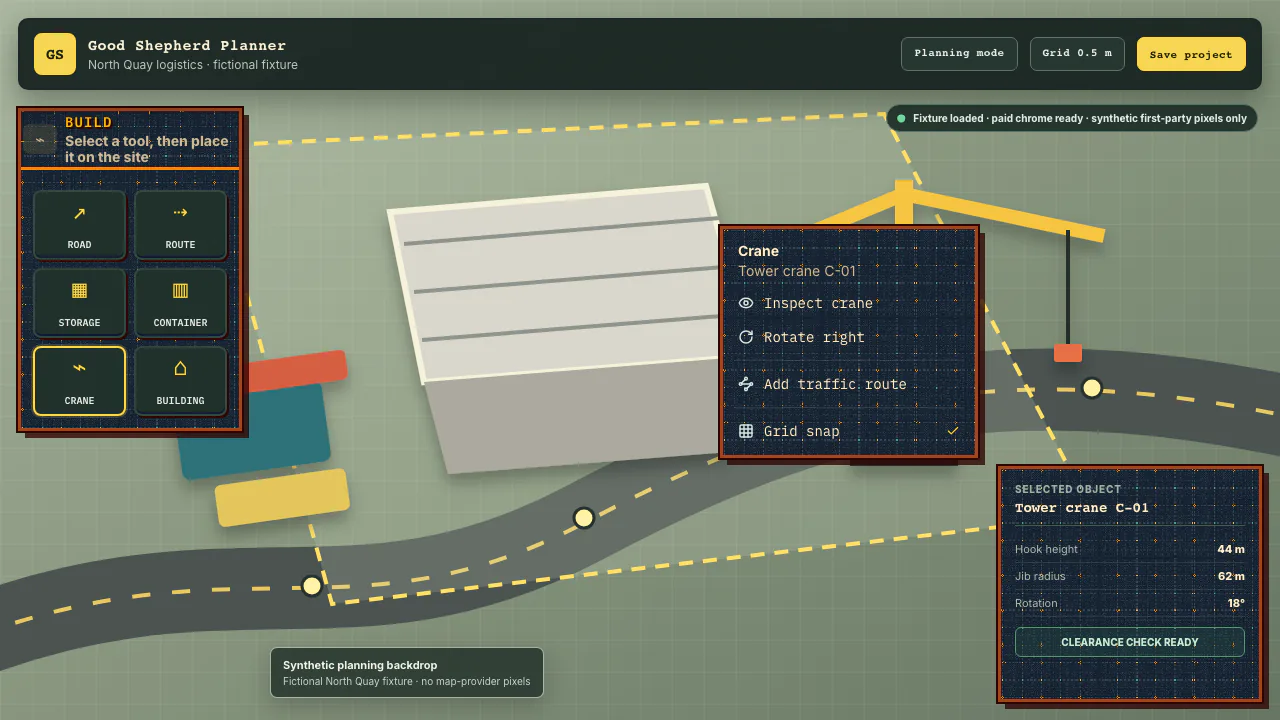
Place cranes, deliveries, laydown and exclusion zones on the real ground, keep phases apart and compare named scenarios. Every change is re-screened, and the decision pack leaves with the geometry it came from.
Who it is for
Work-environment and site-logistics planning, before the shutdown or the next phase locks the arrangement in.
Bring the arbetsplatsdispositionsplan review into a workspace where every check, assumption and change stays traceable.
See the consultant workflowTest gate use, delivery routes and laydown before the outage window opens, then hand over one accepted arrangement.
See the shutdown workflowOpen the sandbox on synthetic data and watch a route conflict get found, tested and recorded.
Try the walkthroughScoped pilot
A pilot is one bounded site-layout or logistics question, reviewed with your own material and a fixed fee agreed before the work starts.
Agree the one decision, the named reviewers and what 'answered' means.
Document the inputs, the assumptions and what stays outside the pilot.
Deliverables, timing and cost are written down before the work begins.
You get the reviewed options and the evidence behind them; the project team keeps every decision.
No sign-in, no customer data, nothing to install.
Fictional example · planning support, not engineering approval.